OpportunityLineItem Custom CRM Variables
Overview
RevOps already supports importing custom Salesforce Opportunity fields and exposing them in templates through the opportunity.* namespace.
This feature extends that capability to support Salesforce OpportunityLineItem fields behind the enableOpportunityLineItemCrmVariables feature flag. Rather than treating CRM data as properties of a SKU, imported CRM data is stored within a dedicated CRMCustomData model associated with the Deal. Opportunity fields are stored once at the deal level, while OpportunityLineItem fields are organized per SKU and billing period. OpportunityLineItems are matched to RevOps SKUs by Product2Id. Even when only a single OpportunityLineItem exists for a SKU, it is stored as billing period index 0 to maintain a consistent structure.
During template rendering, these values are exposed through the opportunity.* and opportunityLineItem.* namespaces without exposing the underlying storage implementation. Period-specific values can be accessed through the opportunityLineItem.period.[<n>].* namespace, while top-level opportunityLineItem.* variables resolve to the current/latest period for backwards compatibility.
| Salesforce Object | Scope | Template Namespace |
|---|---|---|
| Opportunity | Deal | opportunity.* |
| OpportunityLineItem | SKU + Period | opportunityLineItem.period.* (autocomplete)opportunityLineItem.* (supported when entered manually) |
Example:
{{opportunityLineItem.period.[0].UnitPrice__c}}
{{opportunityLineItem.period.[1].PricebookEntry.Name}}

{{!-- Still supported when entered manually --}}
{{opportunityLineItem.PricebookEntry.Name}}
Data Flow
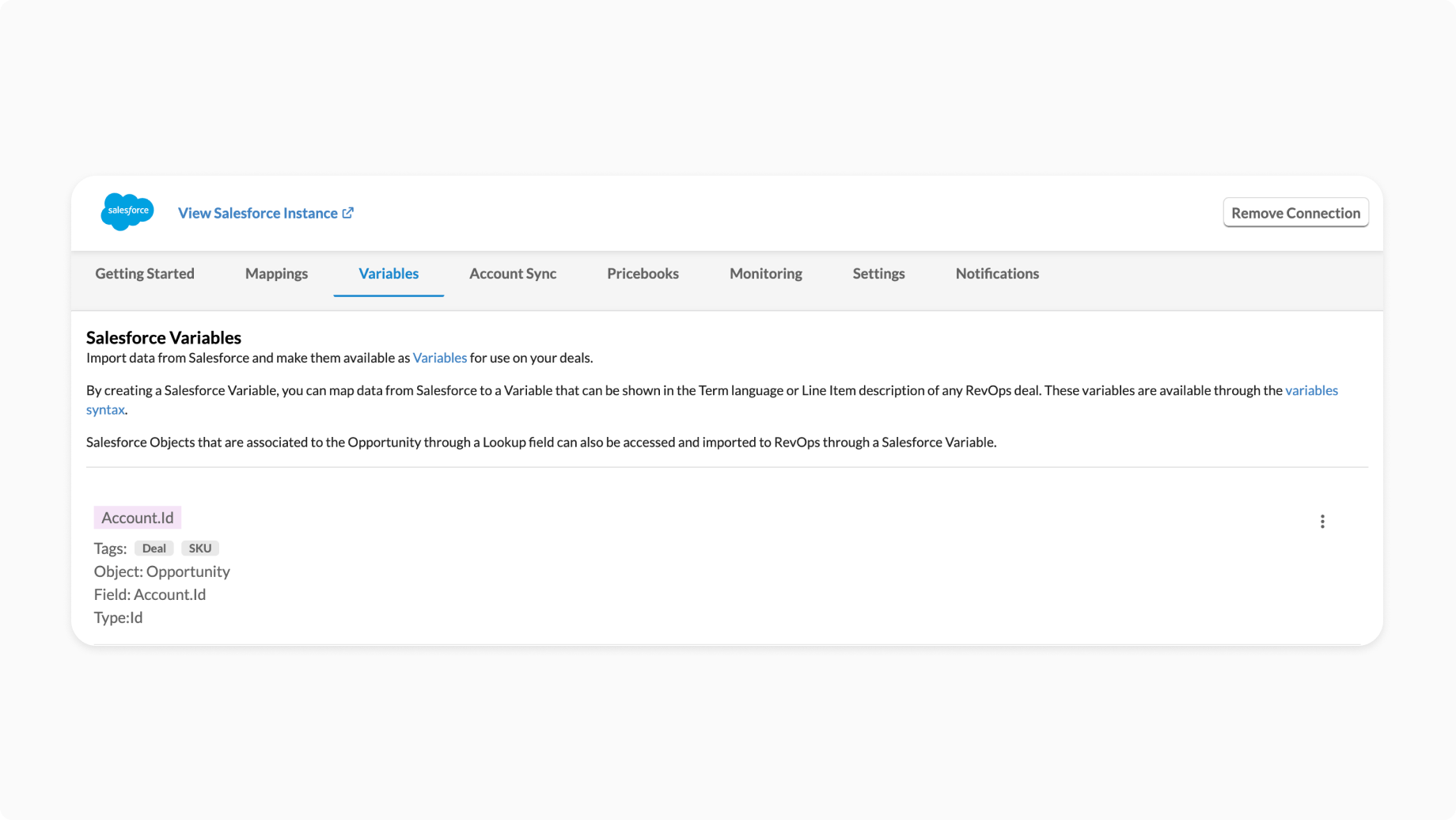
1. Configure Salesforce Variable Mappings
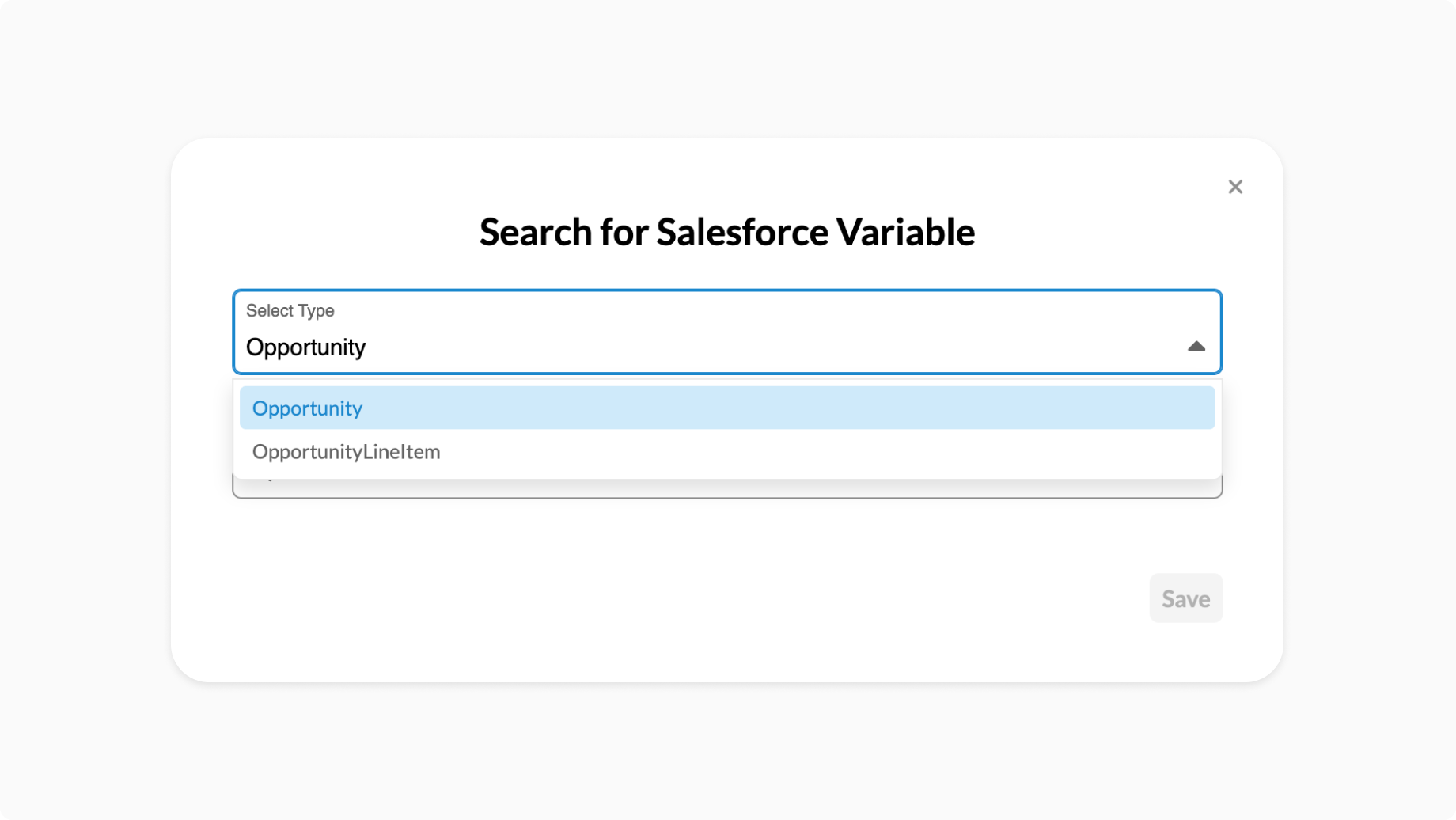
Administrators configure which Salesforce fields should be imported into RevOps. Both Opportunity and OpportunityLineItem objects are supported.
| Salesforce Object | Example Field | Scope |
|---|---|---|
| Opportunity | AccountId | Deal |
| Opportunity | CustomField__c | Deal |
| OpportunityLineItem | UnitPrice__c | SKU |
| OpportunityLineItem | PricebookEntry.Name | SKU |
These mappings determine which fields are retrieved during Salesforce synchronization and where they are stored within the RevOps data model.
2. Import Salesforce Data
During synchronization:
- If
enableOpportunityLineItemCrmVariablesis disabled:- Opportunity variables are saved directly on the Deal.
- OpportunityLineItem variables are not imported.
- If enabled:
- Opportunity fields are imported into
CRMCustomData.opportunity. - OpportunityLineItem fields are imported into
CRMCustomData.skus. - Match OpportunityLineItems to RevOps SKUs by
Product2Id - Group by Product2Id
- Sort by
StartDate__c - Assign periods 1..N
- Store configured fields
- OpportunityLineItem values are grouped by SKU and billing period.
- Deal responses include
crmCustomData. - The Deal is hydrated so template rendering can resolve the current SKU's OpportunityLineItem variables.
- Opportunity fields are imported into
Example:
{
  "dealId": "deal-id",
  "crm": "salesforce",
  "crmRecordId": "006...",
  "opportunity": {
    "AccountId": "001..."
  },
  "skus": {
    "enterprise-sku": {
      "crmProductId": "01tABC123",
      "crmLineItemId": "00kABC123",
      "period": {
        "1": {
          "crmLineItemId": "00kABC123",
          "fields": {
            "UnitPrice__c": "1200",
            "PricebookEntry.Name": "Standard Price Book"
          }
        }
      }
    }
  }
}
Each SKU entry stores the CRM data imported from its associated OpportunityLineItem, organized by billing period. During rendering, the hydrated CRMCustomData model resolves the appropriate values for the current SKU and period.
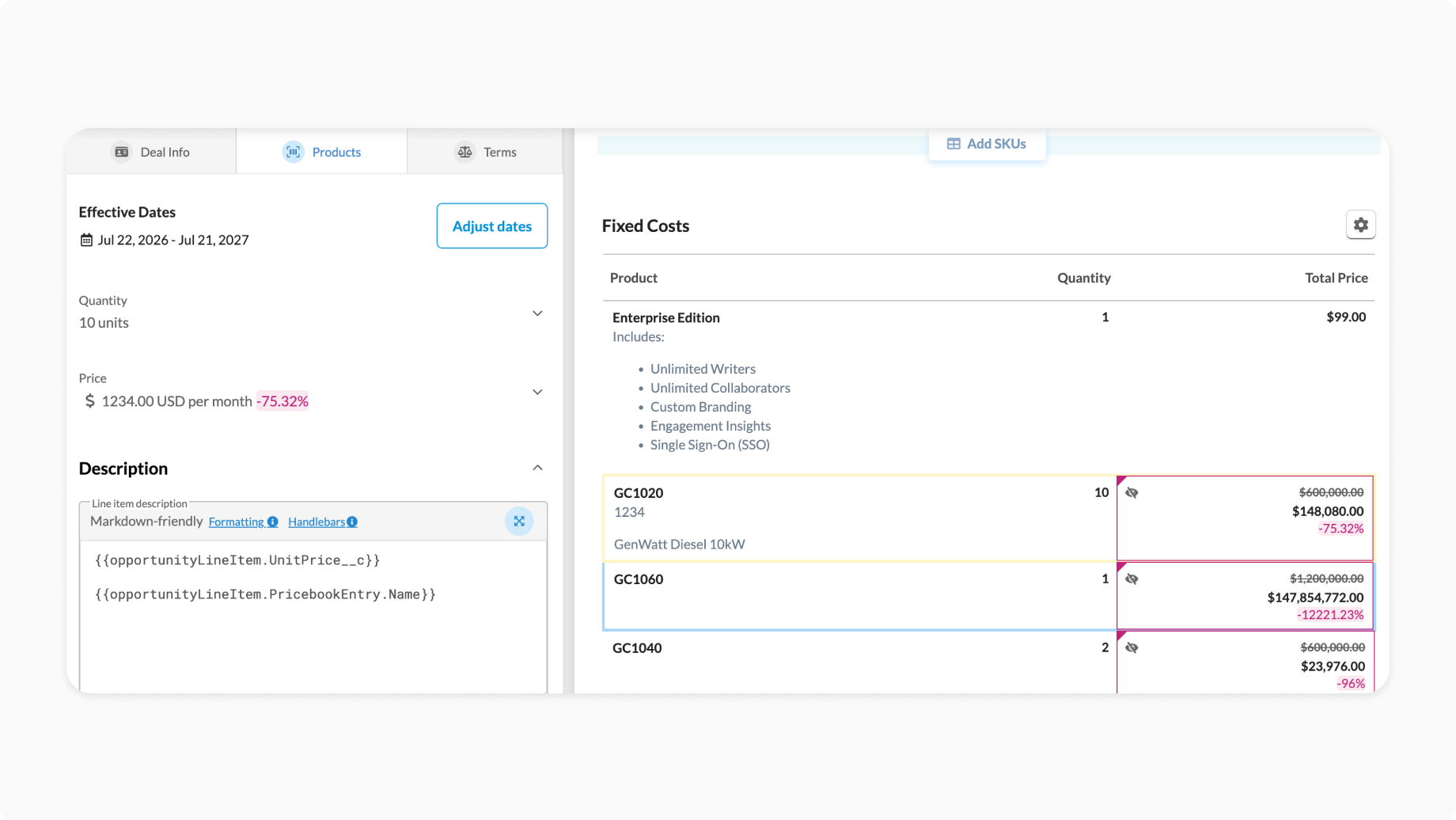
3. Generate Template Variables
opportunity.*variables are shown for imported Opportunity fields.opportunityLineItem.period.*variables are shown for imported OpportunityLineItem period fields.- Top-level
opportunityLineItem.*variables are hidden from autocomplete but continue to work when entered manually.
Example:
{{opportunityLineItem.period.[0].PricebookEntry.Name}}
{{opportunityLineItem.period.[0].PricebookEntry.IsActive}}
{{opportunityLineItem.period.[0].ServiceDate}}

// Still supported when entered manually, maps to the latest period
{{opportunityLineItem.PricebookEntry.Name}}
4. Create Billing Periods from OpportunityLineItems
RevOps supports Salesforce opportunities that contain multiple OpportunityLineItems for the same product, enabling scenarios such as ramped pricing or pricing changes over time.
During synchronization, OpportunityLineItems are matched to RevOps SKUs using their Product2Id. All OpportunityLineItems associated with the same Product2Id are grouped together and sorted by StartDate__c in ascending order. Each line item is then assigned a sequential billing period (0, 1, 2, etc.), where period index 0 represents the earliest StartDate.
Even when only a single OpportunityLineItem exists for a Product2Id, it is stored as period 1 to maintain a consistent data structure across all SKUs.
Import Process
- Match each Salesforce OpportunityLineItem to a RevOps SKU using
Product2Id. - Group all OpportunityLineItems that reference the same
Product2Id. - Sort each group by
StartDate__cin ascending order. - Assign each sorted OpportunityLineItem a sequential billing period (
0,1,2, ...). - Store the configured custom fields for each OpportunityLineItem under its corresponding period in
CRMCustomData.skus.
Example:
CRMCustomData
└── skus
    └── enterprise-sku
        ├── crmProductId: "01tABC123"
        └── period
            ├── 1  (ServiceDate: 2026-01-01)
            │   ├── crmLineItemId: "00kAAA111"
            │   └── fields
            │       └── UnitPrice__c: "1000"
            ├── 2  (ServiceDate: 2026-02-01)
            │   ├── crmLineItemId: "00kBBB222"
            │   └── fields
            │       └── UnitPrice__c: "1200"
            └── 3  (ServiceDate: 2026-03-01)
                ├── crmLineItemId: "00kCCC333"
                └── fields
                    └── UnitPrice__c: "1500"
Template Access
Templates can reference a specific billing period using the opportunityLineItem.period.<n>.* namespace:
{{opportunityLineItem.period.[0].UnitPrice__c}}
{{opportunityLineItem.period.[1].UnitPrice__c}}
{{opportunityLineItem.period.[2].UnitPrice__c}}

{{opportunityLineItem.period.[0].ServiceDate}}   // First Period's service date
{{opportunityLineItem.period.[2].ServiceDate}}   // Second Period's service date
{{opportunityLineItem.ServiceDate}}              // Latest period's service date
For backwards compatibility, top-level opportunityLineItem.* variables continue to resolve to the current/latest billing period during rendering.
5. Render Templates
During template rendering:
- Determine the current SKU being rendered.
- Use the hydrated
CRMCustomDatafor that SKU. - If the variable contains
period.[<n>], resolve that explicit period. - Otherwise resolve the latest/current period.
- Return an empty value if the field does not exist.
Data Model
A Salesforce Opportunity can contain multiple OpportunityLineItems, some of which may be mapped to RevOps SKUs. Imported CRM data is stored in a dedicated CRMCustomData model associated with the Deal. Opportunity fields are stored once at the deal level, while OpportunityLineItem fields are organized by SKU and billing period.
Deal
├── Quote
│   ├── SKU A
│   ├── SKU B
│   └── SKU C
│
└── CRMCustomData
    ├── opportunity
    │   ├── AccountId
    │   └── CustomField__c
    │
    └── skus
        ├── skuA
        │   └── period
        │       ├── 1
        │       └── 2
        │
        └── skuB
            └── period
                └── 1
This preserves the relationship between each SKU and its corresponding Salesforce line item while keeping all CRM data centralized in a single model.
Template Namespaces
RevOps separates native data from imported Salesforce data by using dedicated namespaces. Opportunity variables are available at the Deal level, while OpportunityLineItem variables are available at the SKU level.
| Namespace | Scope | Description |
|---|---|---|
deal.* | Deal | Native RevOps Deal properties |
current.sku.* | SKU | Native RevOps SKU properties |
opportunity.* | Deal | Custom Imported Salesforce Opportunity fields |
opportunityLineItem.period.* | SKU + Period | Custom Imported OpportunityLineItem fields shown in autocomplete |
opportunityLineItem.* | SKU | Custom Imported OpportunityLineItem fields Current/latest period (supported when entered manually) |
Example:
{{current.sku.quantity}}
{{current.sku.title}}

{{opportunityLineItem.period.[1].UnitPrice__c}}
{{opportunityLineItem.period.[1].PricebookEntry.Name}}

{{!-- Still supported when entered manually --}}
{{opportunityLineItem.UnitPrice__c}}

{{opportunity.AccountId}}
Example
Imported SKU
{
  "dealId": "deal-id",
  "crm": "salesforce",
  "crmRecordId": "006...",
  "opportunity": {
    "AccountId": "001..."
  },
  "skus": {
    "enterprise-sku": {
      "crmProductId": "01tABC123",
      "crmLineItemId": "00kABC123",
      "period": {
        "1": {
          "crmLineItemId": "00kABC123",
          "fields": {
            "UnitPrice__c": "1200",
            "PricebookEntry.Name": "Standard Price Book"
          }
        }
      }
    }
  }
}
Template
Product: {{current.sku.title}}

Quantity: {{current.sku.quantity}}

Unit Price: {{opportunityLineItem.UnitPrice__c}}

Price Book: {{opportunityLineItem.period.[1].PricebookEntry.Name}}
Output
Product: Enterprise

Quantity: 10

Unit Price: 1200

Price Book: Standard Price Book
Implementation Reference
| Component | Responsibility |
|---|---|
CRMCustomData | Stores imported CRM information for the deal. |
crm_custom_data.py | Builds, saves, fetches, and hydrates CRMCustomData. |
SalesforceDealFactory | Creates CRMCustomData when the feature flag is enabled. |
OpportunityLineItemImporter | Imports configured OpportunityLineItem fields. |
deal_instance_handler.py | Adds CRMCustomData to Deal GET responses. |
template_deal_creation_handler.py | Saves CRMCustomData during CRM deal creation. |
deal_instance_reimport_handler.py | Saves CRMCustomData during CRM re-import. |
VariableHelpers.ts | Resolves pasted/rendered template variables. |
VariableTags.ts | Generates period-specific template variables. |
Feature Flag
This functionality is gated behind the enableOpportunityLineItemCrmVariables feature flag.
Enabled
- Opportunity variables are stored in
CRMCustomData.opportunity. - OpportunityLineItem variables are stored in
CRMCustomData.skus[*].period. - Deal responses include
crmCustomData. - Autocomplete shows only
opportunityLineItem.period.*. - Top-level
opportunityLineItem.*variables continue to render when entered manually.
Disabled
- Existing behavior is preserved.
- Opportunity variables remain stored directly on the Deal.
- No
CRMCustomDataentity is created. - OpportunityLineItem variables are not imported or exposed.
Key Design Decisions
CRM Data Is Stored in a Dedicated CRMCustomData Entity
Each Salesforce Opportunity can contain multiple OpportunityLineItems, each of which may be mapped to a RevOps SKU. Rather than storing imported CRM fields directly on individual SKUs, RevOps centralizes all imported Salesforce data within a dedicated CRMCustomData model associated with the Deal.
Within CRMCustomData, Opportunity fields are stored once at the deal level, while OpportunityLineItem fields are organized by SKU and billing period. This preserves the relationship between each SKU and its corresponding Salesforce line item while providing a single, consistent source of truth for all imported CRM data.
└── CRMCustomData
    ├── opportunity
    │   ├── AccountId
    │   └── CustomField__c
    │
    └── skus
        ├── skuA
        │   ├── crmProductId
        │   ├── crmLineItemId
        │   └── period
        │       ├── 1
        │       │   └── fields
        │       │       ├── UnitPrice__c
        │       │       └── PricebookEntry.Name
        │       └── 2
        │
        └── skuB
            └── period
                └── 1
This design provides several advantages:
- Centralized CRM data – All imported CRM information is stored in a dedicated
CRMCustomDataentity, providing a single source of truth for CRM-specific data. - Separation of concerns – Native Deal and SKU models remain focused on RevOps data, while CRM-specific information is isolated in its own model.
- Extensible architecture – The
CRMCustomDatamodel can evolve to support additional CRM objects and future CRM providers without changing the core quote models. - Independent persistence – CRM data can be synchronized and persisted independently of the Deal, reducing unnecessary writes when only CRM information changes.
- Flexible synchronization – CRM import logic is centralized in a single model, making it easier to manage data from external systems.
- Consistent rendering – Template rendering resolves all CRM variables from a single structured model, regardless of where the data originated.
And the corresponding trade-offs:
- More complex architecture – Introducing a dedicated
CRMCustomDataentity adds another model and increases the overall system complexity. - Additional datastore lookups – Rendering CRM variables requires loading the associated
CRMCustomDataentity in addition to the Deal. - Lifecycle management – Changes to SKUs, such as deletion or duplication, require the corresponding
CRMCustomDataentries to be updated or cleaned up. - More code to maintain – Additional models, persistence logic, validation, and tests are required to support the new architecture.
Imported Salesforce fields use the opportunityLineItem and opportunity namespaces
Although OpportunityLineItem variables are resolved in the context of the current SKU, they are stored within the dedicated CRMCustomData entity. Period-specific variables are exposed through the opportunityLineItem.period.[<n>].* namespace, while top-level opportunityLineItem.* variables resolve to the current/latest period when entered manually.
Example:
{{opportunityLineItem.period.[1].UnitPrice__c}}
Top-level variables remain supported when entered manually:
{{opportunityLineItem.UnitPrice__c}}
Native SKU properties remain unchanged
Native RevOps SKU properties continue to use the current.sku.* namespace.
Examples:
{{current.sku.quantity}}
{{current.sku.title}}
This preserves the existing template API while introducing a dedicated namespace for imported OpportunityLineItem fields.
Missing values
This can occur because the field was not configured in Salesforce variable mappings or because the corresponding OpportunityLineItem has no value for that field. This applies to both opportunityLineItem.period.[<n>].* variables and top-level opportunityLineItem.* variables.
For example:
{{opportunityLineItem.period.[1].UnitPrice__c}}
will render nothing if UnitPrice__c was not imported for the current SKU.